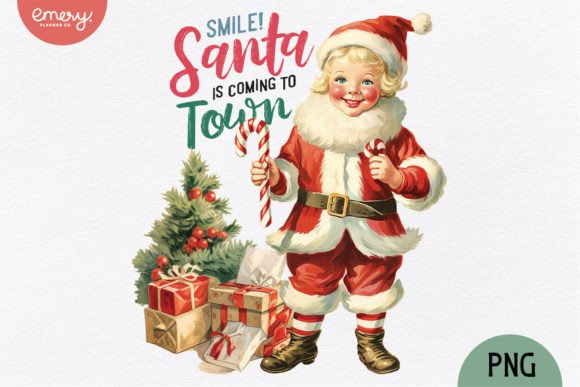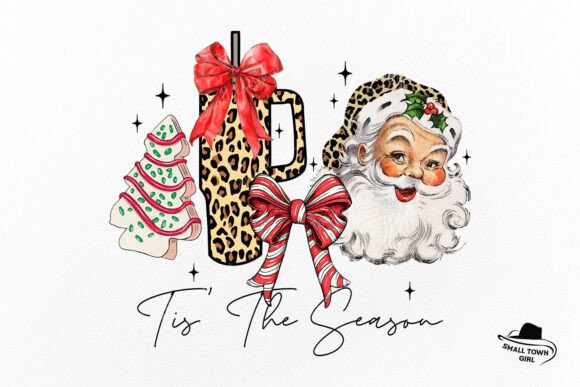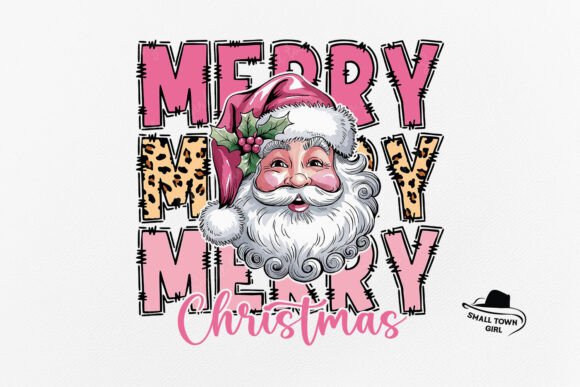
Charming Vintage Christmas Santa Kid Sublimation Designs
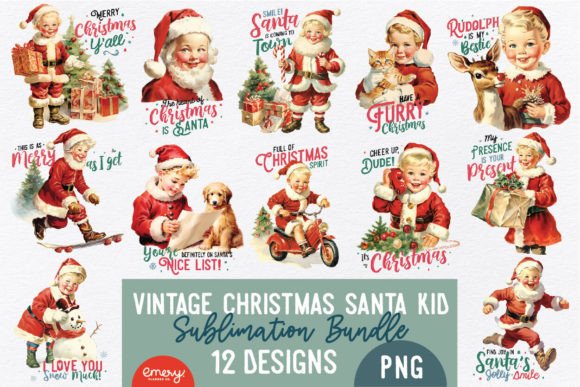
Capturing the warmth and nostalgia of the holiday season requires more than just standard clipart; it demands imagery that tells a story. The Vintage Christmas Santa Kid Sublimation collection offers exactly that—a curated set of 12 high-quality PNG files designed to bring a retro, heartfelt aesthetic to your creative projects. Whether you are a graphic designer working on seasonal branding, a small business owner creating merchandise, or a hobbyist crafting personalized gifts, these design assets provide the visual depth needed to stand out in a crowded market.
The Aesthetic Appeal: Blending Nostalgia with Modern Utility
Visually, this collection leans heavily into the mid-century modern aesthetic that has seen a massive resurgence in recent years. The illustrations depict classic Santa imagery with a whimsical, hand-drawn feel, reminiscent of vintage greeting cards or storybook illustrations. The style avoids the hyper-realistic or overly digital look common in modern graphics, opting instead for softer lines, textured shading, and a color palette that feels warm and organic.
For brand strategists, this visual language communicates authenticity and timelessness. In a world of flat design and minimalism, using a vintage sublimation design adds a layer of personality. It suggests that a brand values tradition, warmth, and attention to detail. The "kid" aspect of the Santa design introduces a playful innocence, making these files particularly effective for family-oriented products, children’s apparel, and cozy home decor. The transparent backgrounds of the PNGs ensure that these detailed illustrations can be layered over complex textures—like wood grain or burlap—without awkward white boxes disrupting the composition.
Practical Applications: From Digital Screens to Physical Print
The versatility of the Vintage Christmas Santa Kid Sublimation files is one of their strongest assets. Because the files are sized at 10x10 inches and 3000x3000 pixels at 300 DPI, they are print-ready for a wide array of mediums. You do not need to upscale the images or worry about pixelation when moving from a digital mockup to a physical product.
Here is how different professionals can leverage these assets:
- Apparel and Merchandise: Sublimation printing thrives on high-resolution artwork. These designs are perfect for all-over prints on t-shirts, tote bags, and sweatshirts. The vintage style pairs exceptionally well with distressed fabric textures.
- Home Decor and Wall Art: Interior designers and print-on-demand sellers can use these files to create canvas wall art or framed prints. The nostalgic theme fits seamlessly into farmhouse, rustic, or retro-chic interior design styles.
- Stationery and Paper Goods: The intricate details hold up beautifully on greeting cards, gift tags, and wrapping paper. For publishers, these images can serve as chapter headers or spot illustrations in holiday-themed editorial layouts.
- Digital Marketing: Content creators and social media managers can use these images to create engaging Instagram posts, Pinterest pins, or email newsletter headers that evoke an immediate emotional response.
Design Strategy: Integrating Vintage Elements into Modern Layouts
Using a vintage illustration effectively requires a thoughtful approach to typography and layout. To maintain the professional quality of your work, consider the interplay between the image and your text elements.
Typography and Font Pairing
When working with a detailed, textured image like those in this collection, your typography needs to complement rather than compete. A common mistake is pairing vintage art with ultra-modern, geometric sans-serif fonts, which can create a jarring visual disconnect.
Instead, consider these pairing strategies:
- Classic Serif Fonts: A sturdy serif typeface grounds the whimsical nature of the art, adding a touch of editorial sophistication. This works well for packaging design and formal invitations.
- Retro Sans-Serif: Look for sans-serif fonts with slightly rounded edges or unique quirks. These mimic the typography found on mid-century product labels and harmonize with the Santa illustration.
- Script and Handwritten Fonts: To amplify the "handmade" feel, use a script font for headlines. However, ensure it remains legible; the focus should be on readability, especially for mobile web design.
Color Theory and Composition
The files feature a specific color palette typical of vintage printing—often involving rich reds, forest greens, creams, and muted golds. When placing these images into your layout, pull colors directly from the illustration to create your background or text colors. This creates a cohesive brand identity and ensures the design feels intentional.
Furthermore, leverage the transparent backgrounds to create depth. In editorial design or blog graphics, you can overlap the Santa character with text blocks or frame the image with decorative borders to create a "sticker" or "badge" effect, which is highly popular in scrapbooking and planner communities.
Technical Considerations and Workflow
While the creative possibilities are vast, adhering to technical best practices will save you time and frustration. Since these are high-resolution PNG files, they are larger than standard web graphics.
- File Management: Upon downloading, you will need to unzip the folder on a computer. Mobile devices often struggle to unpack large compressed files or handle 3000px assets efficiently.
- Software Compatibility: To utilize the transparency and layering capabilities, you must use software that supports PNG formats. Professional tools like Adobe Photoshop or Illustrator are ideal, but accessible options like Canva, Procreate, or Affinity Photo work perfectly for these design assets.
- Color Calibration: As noted in the file specifications, monitor settings vary. If you are doing professional print work, it is always wise to run a test print. The RGB colors you see on screen may convert differently to CMYK depending on your printer's ink profile.
Ultimately, the Vintage Christmas Santa Kid Sublimation